
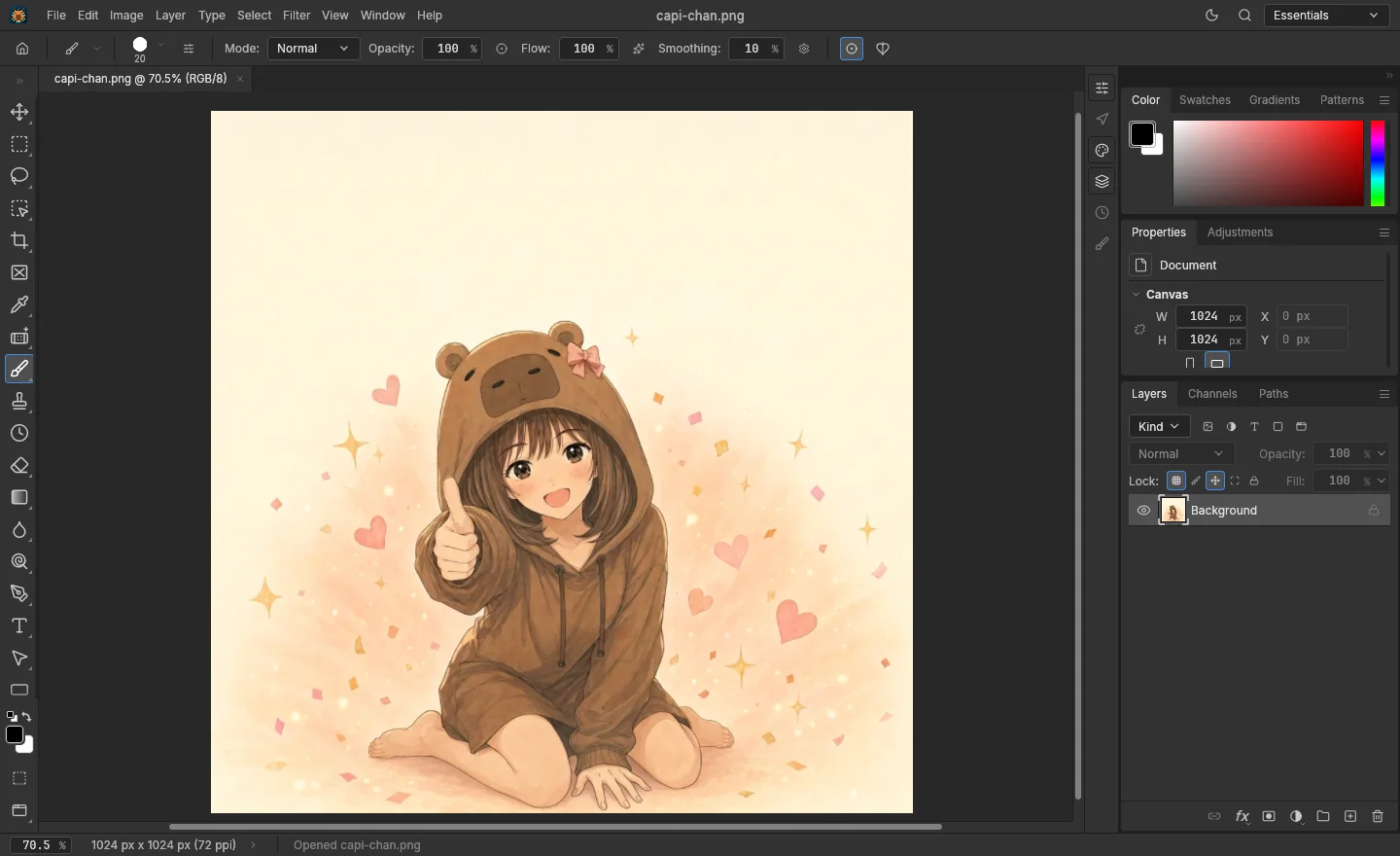
What it does
It’s a layer editor that works with real PSDs: it opens and saves PSD files with layers, masks, adjustment layers, text and effects. It has the usual cleaning tools (clone stamp, healing brush, content-aware fill) and an AI that runs on your own graphics card to clean, upscale and fill. The menus and shortcuts are Photoshop’s, so there’s nothing new to learn.
Why it exists
Photoshop costs about 23 USD a month and needs a PC that many cleaners and typesetters don’t have. Web alternatives are closed and live off ads. Capishot is free and built with scanlation in mind: long pages, PSDs with lots of layers and text that has to look exactly like it does in Photoshop.
What it replaces
Adobe Photoshop and Photopea for cleaning, redrawing and typesetting.
Who it’s for
Cleaners, redrawers and typesetters. It runs on modest PCs (the AI has quality tiers) and uses the GPU when there is one.
Features
- 1
Real PSDs
Opens and saves PSD and PSB with layers, groups, masks, adjustment layers and layer styles.
- 2
Text like Photoshop
Paragraphs, kerning, warps and effects. On save, the text is drawn by psd-compiler.
- 3
Cleaning
Clone stamp, a spot healing brush that respects screentones, content-aware fill and lasso.
- 4
AI on your machine
Clean with AI, manga upscaling and generative fill in four tiers. Models download once and run locally.
- 5
Photoshop shortcuts
The same menus and shortcuts. Dockable panels like in Photoshop.
- 6
Lose nothing
Autosave every 3 minutes and document rescue if the browser closes.
- 7
Fast
GPU rendering with a CPU fallback, WebAssembly threads and background exports.
- 8
Inside Capistudio
It’s the editor for the studio’s cleaning and typesetting steps.
Technical info
- Written in Rust. Interface with egui and rendering with wgpu (WebGPU or WebGL), with a CPU canvas when the GPU isn’t enough.
- Compiled to WebAssembly with threads; heavy files are served compressed and cached.
- Based on PhotoCraft (MIT/Apache 2.0), which already wires all 627 Photoshop menu commands. Kept up to date with version 0.12.
- PSD saving with psd-compiler, our engine that redraws text just like Photoshop.
- AI with burn on WebGPU or CPU, in a separate worker. Models: LaMa and MI-GAN to clean, MangaJaNai and Real-ESRGAN Compact to upscale, DreamShaper 8 for generative fill.
- Optional anonymous telemetry to measure performance and freezes.
Plans
Free
Everything. No account, no watermarks and no ads. Capishot is and will stay free.
Desktop
A Windows 10 and 11 (64-bit) version with the same features. .msi installer or portable .zip.
Versions and latest changes
No freezes, part 2 Latest
AI, Save for Web, Compile Folder, warps and the Navigator no longer lock the screen.
v0.12.0
Up to date with PhotoCraft 0.12 (over 2,600 changes), a soft brush like Photoshop’s, faster PSD saving, autosave every 3 minutes and document rescue.
Generative fill
Four tiers (Ultra, Fast, Standard and High) and a model manager with resumable downloads.
Dockable panels
Arrange the panels like in Photoshop.
Faster moves
Dragging layers and selections is smoother, also on PCs without a GPU.
Local AI
Clean with AI and manga upscaling, running on your graphics card or the CPU.